
1. Click on Your Menu located in the top-right navigation bar.
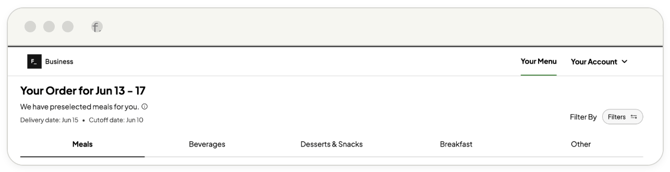
2. Review the target delivery week details displayed at the top left of the menu screen (e.g., 'Your Order for Jun 13-17', along with the scheduled delivery date and the order cutoff deadline).
3. Verify your location.
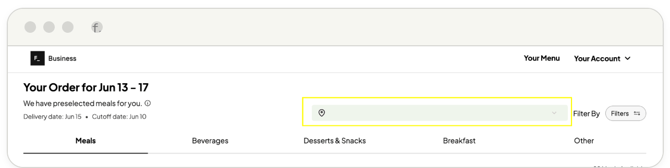
Ensure you are placing an order for the intended location by reviewing the active location on the right side of the page. You can toggle between multiple locations by clicking the dropdown arrow.
4. Filter your view.
To narrow down menu options, use the filter panel on the right. You can filter by Cuisine type, Dietary Preference, Category, or Protein type.
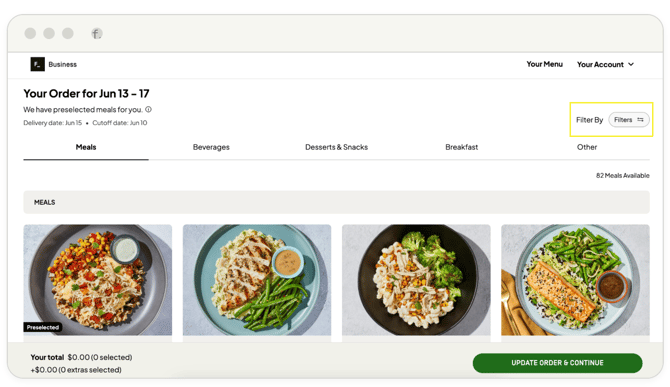
🔔 It is highly recommended to filter out any specific allergens at this step.
Utilizing the filter options ensures that restricted meals do not populate while you are browsing and building your order.
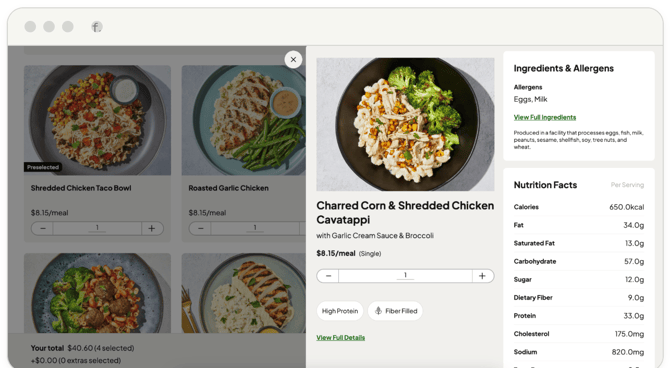
5. Review item details.
Click directly on any meal title to view full ingredient lists, comprehensive nutrition facts, allergen disclosures, and dietary classifications. You can adjust quantities directly from this view.
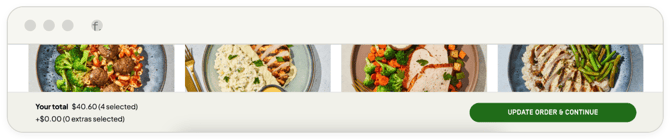
6. Once your selections are complete, click Update Order & Continue at the
bottom right of the page.
7. Review your final cart items. If needed, include specific logistics notes under the Add delivery note section.
8. Click Confirm Order to finalize your menu selection.
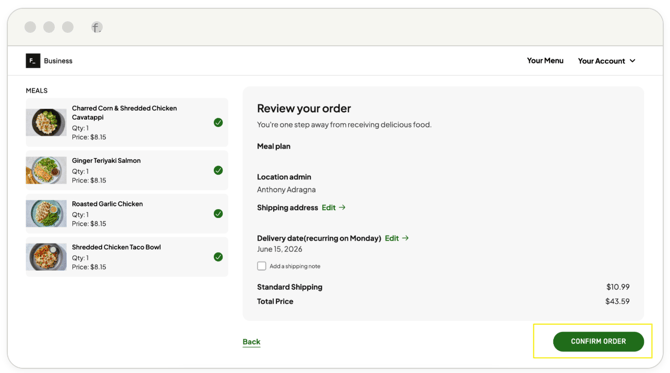
Upon submission, a confirmation page will display your order number, and a confirmation email will be sent to your inbox.
Depending on your contract terms, invoicing for your purchases will be handled directly by the HelloFresh finance team at a later date, and no immediate payment is required at checkout.
If your account is configured for standard credit card terms, payment will be processed immediately upon checking out.